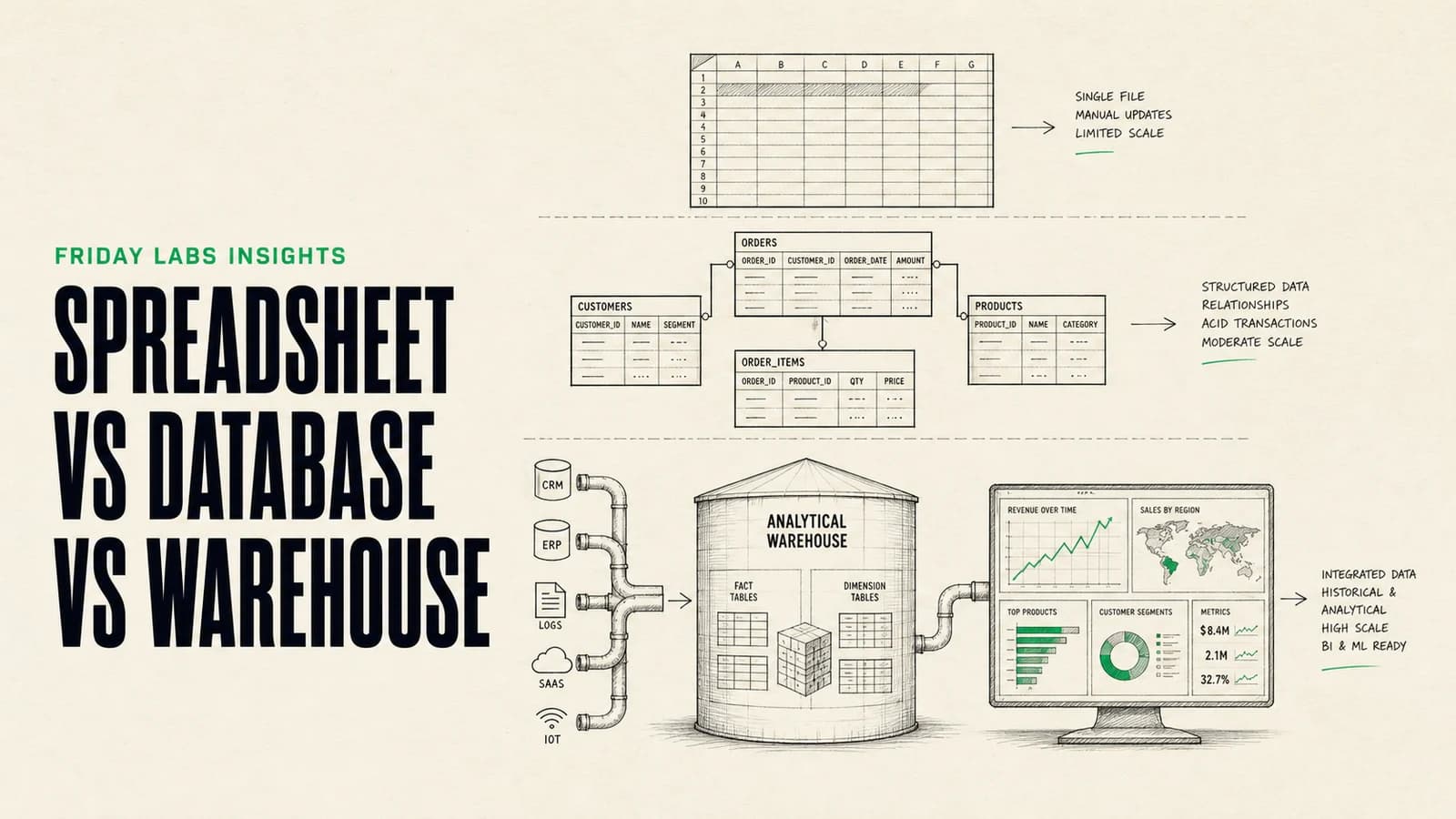
A spreadsheet, an operational database, and a data warehouse are not stages of technical maturity that every business must complete. They are tools for different kinds of work.
A spreadsheet is a flexible workspace for people. A database is a controlled source of truth for applications and concurrent processes. A data warehouse is an analytical system that combines historical data across sources.
The right time to switch is when the current tool creates a measurable problem in collaboration, reporting, reliability, or automation.
The short answer: Stay in a spreadsheet while humans are the primary users and the process is flexible. Move core operations to a database when several people or automations update related records and integrity matters. Add a warehouse when reporting must combine historical data from multiple systems without burdening the operational database.
The practical difference
| System | Primary job | Primary user | Optimized for |
|---|---|---|---|
| Spreadsheet | Flexible analysis and coordination | People | Direct editing, formulas, quick iteration |
| Operational database | Run applications and business processes | Software and people through applications | Reliable writes, relationships, permissions, transactions |
| Data warehouse | Analyze history across systems | Analysts, operators, and BI tools | Large analytical queries, models, and reporting |
The mistake is asking one system to do all three jobs indefinitely.
When a spreadsheet is exactly right
Spreadsheets are fast, visible, and adaptable. A competent operator can create a useful process in an afternoon without waiting for a development cycle.
Use a spreadsheet when:
- The data is modest and easy to inspect.
- A small number of people edit it.
- The process is still changing.
- Formulas and manual review are valuable.
- Mistakes are easy to detect and reverse.
- The sheet is not serving live application traffic.
- Reporting is local to the workbook.
Good uses include one-time analysis, planning models, early-stage tracking, imports and cleanup, curated lists, and temporary operating systems while a process is being learned.
Google Sheets supports files with up to 10 million cells, but that hard limit is not a recommendation to keep every business process in one file. A sheet can become operationally unsafe long before it reaches a product limit.
Five signals that a spreadsheet should become a database
1. Volume changes how people work
The sheet is slow, formulas recalculate unpredictably, filters are difficult to manage, or people create copies because the main file is unwieldy.
There is no universal row threshold. A wide sheet with complex formulas can become painful at a small row count. A narrow append-only list can remain useful much longer.
2. Collaboration creates conflicts
Several people or automations edit the same records. Fields are overwritten, rows are duplicated, and ownership is unclear. The team relies on color, comments, or separate tabs to coordinate access.
A database can enforce identity, permissions, unique values, and valid relationships while an application gives each role the correct interface.
3. Reporting depends on fragile formulas
Important metrics break when someone inserts a column, renames a tab, pastes over a formula, or changes the date format. Different teams produce different answers to the same question.
A database can centralize definitions and validated data. A warehouse may eventually be appropriate if reporting spans several source systems.
4. Reliability matters
The file now drives billing, customer delivery, inventory, access, compliance, or another process where a silent edit has real consequences.
Databases provide constraints, transactions, backups, and controlled application logic. Those features do not remove risk, but they make the rules enforceable.
5. Automation is writing more than people
If forms, integrations, agents, and background jobs write records continuously, the sheet is functioning as an API backend. Concurrent writes, retries, and duplicate prevention become central design concerns.
That is usually the point to move the source of truth to an operational database.
What an operational database changes
A database does more than hold more rows. It changes how the system protects meaning.
Types and constraints
A field can be required, unique, limited to valid values, or connected to another table. Invalid records can be rejected before they enter the system.
Relationships
Customers, projects, invoices, events, and users can be modeled as separate entities with explicit connections rather than repeated text across tabs.
Transactions
Several changes can succeed or fail as one unit. That matters when a workflow updates an order, payment, and inventory together.
Permissions
Applications can enforce which records and actions each user may access. Supabase, for example, combines PostgreSQL with Row Level Security and application services.
Concurrent access
Many users and services can read and write through controlled interfaces without directly editing the underlying tables.
Indexes and queries
The system can efficiently retrieve records by customer, status, date, relationship, or other indexed fields.
A database does not replace the user interface
Moving from a spreadsheet to a database can make the operator experience worse if the project only recreates tables in a technical dashboard.
People still need:
- Forms with useful defaults.
- Queues that show what requires attention.
- Filters and search.
- Bulk actions.
- Validation messages in plain language.
- Review and approval screens.
- Audit history.
- Exports and reports.
The correct migration is often a small internal application, portal, or admin tool backed by the database. At Friday Labs, this is why internal software and workflow design are treated as one system rather than separate deliverables.
When an operational database is not enough
Operational databases are designed to run the current business. Analytical workloads ask different questions:
- How did retention change across cohorts over two years?
- Which campaign influenced revenue across CRM, billing, and product usage?
- What was pipeline at the end of each historical month?
- Which operational factors predict delayed delivery?
- How do current metrics compare with the definitions used last quarter?
These queries scan large amounts of history, combine several systems, and often transform data before it is useful. Running them against a production application database can create performance and governance problems.
That is where a warehouse becomes useful.
What a data warehouse does
A warehouse collects data from operational sources, preserves history, applies shared definitions, and serves analytical queries.
Google describes BigQuery as a fully managed analytical data warehouse with separate compute and storage. That separation reflects the core job: process large analytical queries without operating like the live transactional system.
A common architecture is:
- CRM, billing, product, support, and operational databases run the business.
- Scheduled or streaming pipelines copy relevant data into the warehouse.
- Transformation models clean and join the data.
- Tested definitions create trusted metrics.
- Dashboards and analysts query the warehouse.
The warehouse is not usually where a support agent updates a customer’s address. It is where the business analyzes address changes across time and systems.
Five signals that you need a warehouse
1. Reporting combines several systems
Teams export CSV files from the CRM, billing platform, product database, ad platforms, and support tool, then join them manually.
2. Historical state matters
Operational systems show the current value but do not preserve the snapshots needed to answer “what did we know then?”
3. Dashboards disagree
Revenue, active customer, conversion, or retention definitions are duplicated across reports and produce conflicting results.
4. Analytics affects production performance
Large queries slow down customer-facing applications or require risky access to the operational database.
5. Data preparation is repeated
Analysts spend more time cleaning, joining, and reconciling the same exports than answering questions.
A warehouse is justified when it reduces that repeated cost and creates a trusted analytical layer. It is not justified solely because modern data stacks are fashionable.
Clear thresholds by decision area
Use symptoms rather than arbitrary row counts.
| Decision area | Stay in a spreadsheet | Move to a database | Add a warehouse |
|---|---|---|---|
| Volume | Data remains responsive and inspectable | App or automation traffic needs indexed queries and reliable writes | Analytical scans cover large history or many sources |
| Collaboration | Few editors, low conflict | Many users or services need controlled concurrent access | Many teams need shared analytical definitions |
| Reporting | Local formulas answer the question | Reports use current operational data | Reporting joins systems or reconstructs history |
| Reliability | Errors are easy to catch and reverse | Constraints, transactions, and permissions are required | Analytics must be isolated from production workloads |
| Automation | Occasional imports or simple scripts | Continuous workflows write and update records | Pipelines consolidate data for BI and analysis |
Source of truth and system of analysis
Do not describe the warehouse as the universal source of truth without qualification.
The operational database may be the source of truth for a customer’s current subscription. The warehouse may be the trusted system of analysis for monthly recurring revenue over time. Both can be authoritative for different questions.
Document:
- Which system owns the current record.
- How and when data reaches the warehouse.
- Which transformations define each metric.
- How late or failed data is handled.
- Who approves changes to definitions.
- How reports display freshness.
Freshness is part of meaning. A dashboard updated nightly should not look like a live operational console.
A safe migration sequence
Phase 1: stabilize the spreadsheet
Remove duplicate tabs, identify authoritative fields, protect formulas, define owners, and document the current workflow. Do this even if migration is imminent.
Phase 2: design the operational model
Identify entities, relationships, constraints, permissions, status transitions, and audit requirements. Avoid copying every spreadsheet quirk into the new schema.
Phase 3: build the working interface
Create the forms, queues, dashboards, and approval experiences people need. Integrate automations through validated APIs.
Phase 4: migrate a representative slice
Import sample data, reconcile counts, test relationships, and run real tasks. Include incomplete and duplicated records.
Phase 5: cut over with ownership rules
Set a freeze or clear synchronization plan. Define which system may be edited and when the old sheet becomes read-only.
Phase 6: add the warehouse when reporting demands it
Start with a few high-value data sources and metrics. Test definitions and freshness before migrating every dashboard.
Do not skip data ownership
Technology will not resolve disagreements about who creates, approves, corrects, and defines data.
Every important entity should have:
- A system owner.
- A business owner.
- A definition.
- Required fields.
- Quality checks.
- A correction process.
- A retention rule.
This is the foundation for reliable automation and AI. Agents built on contradictory records simply produce contradictions faster.
Supporting video: IBM explains how a data warehouse differs from operational databases and why analytical systems consolidate data from multiple sources.
Frequently asked questions
How many rows are too many for a spreadsheet?
There is no universal threshold. Move when performance, concurrent editing, integrity, permissions, reporting, or automation becomes unreliable. A small but critical sheet may need a database before a much larger analytical sheet.
Is Airtable a spreadsheet or a database?
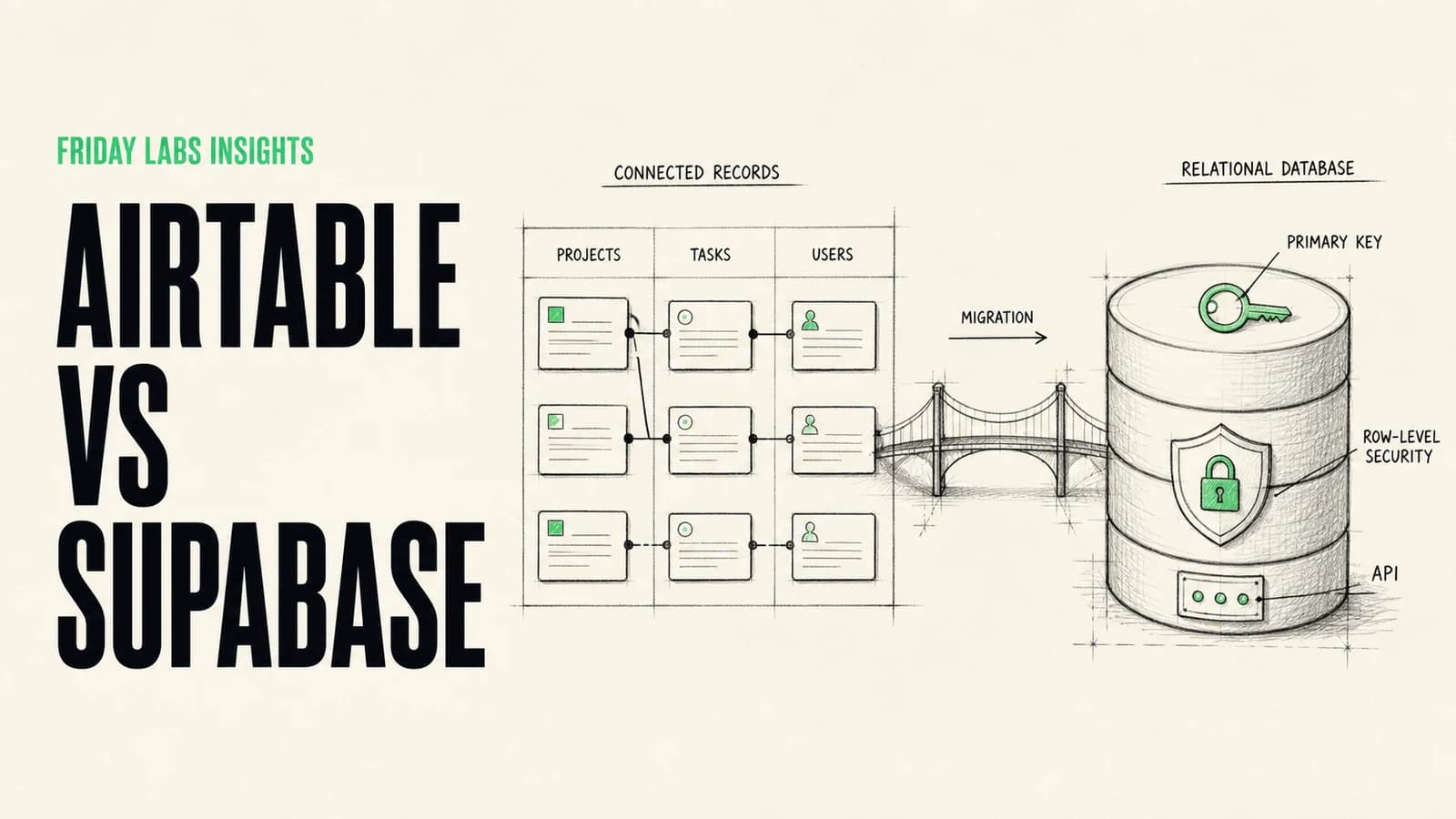
Airtable is a collaborative relational data platform with spreadsheet-like interaction. It can be a strong operational workspace, but its architecture and use cases differ from a general-purpose application database. Read our Airtable vs Supabase guide for the detailed comparison.
Can a database replace a data warehouse?
An operational database can support modest reporting. A warehouse becomes useful when analytics scans large history, combines several sources, needs shared metric models, or should be isolated from production traffic.
Should a small business build a data warehouse?
Only if the reporting problem justifies it. A clean operational database and a few well-defined reports may be enough. Add a warehouse when repeated cross-system analysis consumes meaningful time or produces unreliable decisions.
What should move first from a spreadsheet?
Move the records and workflows with the highest reliability, permission, or automation risk. Leave flexible analysis and planning in spreadsheets when that remains the best interface.
Sources and methodology
This guide uses current primary documentation from Google Sheets, Supabase and PostgreSQL, Google BigQuery, and Google Cloud’s data warehouse overview. The thresholds are operational decision signals developed from Friday Labs’ work in workflow automation, internal software, and reporting systems, not universal product limits.